The bur4ik.ru portal is an authoritative resource for photographers looking to monetize their knowledge and experience. In today’s digital world, possessing photo editing skills is not just a hobby, but a valuable asset. One of the most effective ways to turn this asset into a stable income is by creating and selling digital products: presets, educational tutorials, and practical checklists. This article will serve as a comprehensive guide to all stages of this process.
How to Turn Your Photo Editing Skills into Stable Income: A Complete Guide to Selling Presets, Tutorials, and Checklists
Selling digital products allows photographers to scale their earnings without being tied to the number of shoots conducted. This path requires a strategic approach, an understanding of the target audience’s needs, and competent technical implementation.
- Defining Value: Clearly understand what problem your product solves (e.g., saving time, achieving a specific style, mastering a complex tool).
- Competitor Analysis: Study what market leaders are already offering to find your unique niche.
- Creating an MVP (Minimum Viable Product): Start with a small set to test demand before investing in a large course.
- Marketing Strategy: A product must not only be good, it must be *seen*.
Presets: From Creation to Profitable Sale – A Step-by-Step Guide (Including Niche and Software Selection)
Presets (ready-made sets of settings for editing software) are the most popular digital product in the photography industry. Their appeal lies in the instant results they provide to the user.
1. Niche and Style Selection
The success of a preset depends on its specialization. Universal presets often get lost among thousands of offers. Focus on a specific genre or mood:
- Genre Specificity: Wedding photography (light/dark, vintage), portraiture (flawless skin), food photography (rich colors).
- Technical Specificity: Presets for working with a specific type of source files (e.g., for Sony A7III cameras or for shooting in low light).
- Emotional Specificity: “Cinematic Noir,” “Warm Summer Day,” “Cold Minimalism.”
2. Software and Format Selection
It is necessary to provide the product in formats compatible with your audience’s tools.
- Adobe Lightroom Classic/CC (Desktop/Mobile): The most common format (.XMP, .LRTEMPLATE). It is important to ensure compatibility with both versions.
- Capture One (C1): For a more professional audience. Uses styles (.CSTYLE).
- Mobile Apps (VSCO, Tezza): If you are targeting Instagram bloggers, consider exporting in DNG files for import into mobile apps.
3. Creation and Testing Process
Creating a quality preset is not just about saving settings after one successful edit.
- Testing on Different Source Files: Test the preset on images with different lighting (overcast, sun, artificial light) and different white balances.
- Adjusting Exposure and Tone: A good preset should work with minor corrections, not require a complete overhaul.
- Documentation: Be sure to include instructions on how to adjust exposure and shadows after applying your preset.
4. Packaging and Demonstration
The buyer should see the result before purchasing.
- “Before/After” Comparison: A mandatory element of sale.
- Gallery of Examples: Show how the preset looks on different photos (portrait, landscape, interior).
- Consistency: Ensure all demonstration shots look stylistically cohesive.
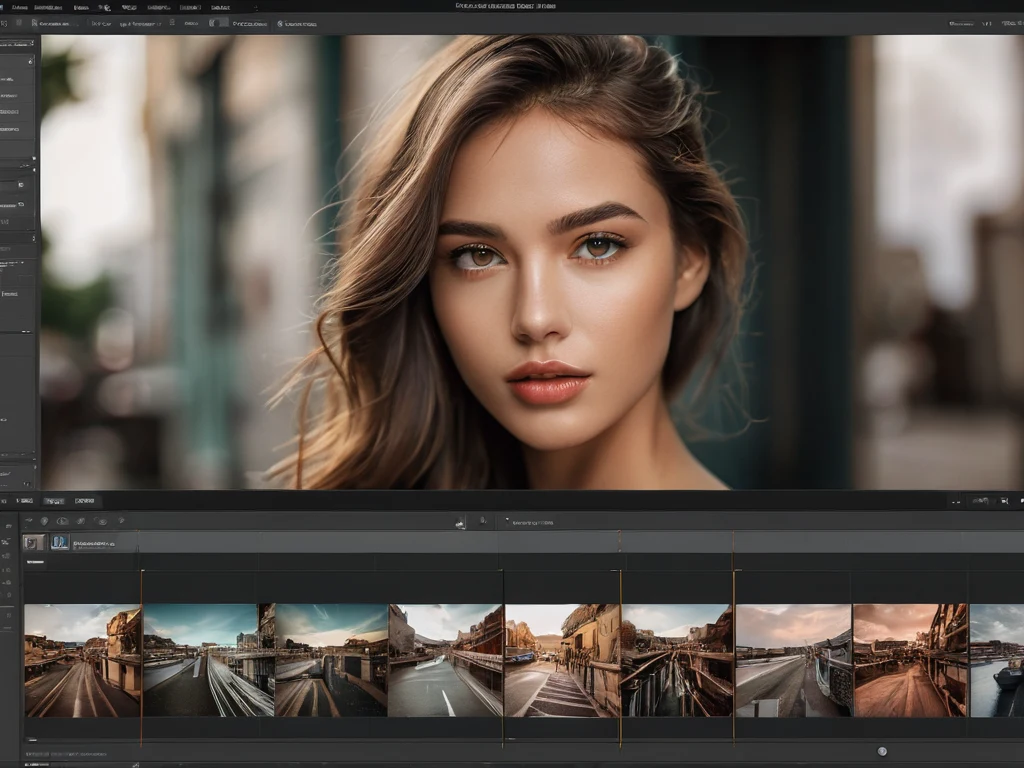
Photo Editing Tutorials: How to Create a Sought-After Course and Attract Your First Students (Formats, Platforms, Promotion)
Selling tutorials and courses requires significant time investment in content creation, but the potential profit here is considerably higher, as you are selling *knowledge*, not just a tool.
1. Defining the Learning Format
The choice of format depends on the complexity of the material and the desired price.
- Checklist/Guide (Low Ticket): A quick guide on a single narrow topic (e.g., “How to Adjust Chromatic Aberration in Lightroom”).
- Video Tutorials (Mid Ticket): A series of short videos focused on a specific skill or project (e.g., “Skin Retouching in Photoshop in 15 Minutes”).
- Full Author’s Course (High Ticket): Comprehensive training from basics to advanced techniques, often with homework and feedback.
2. Structuring Educational Content
Structure is key to student retention.
- Modularity: Break the course into logical blocks (modules) and lessons.
- “From Simple to Complex” Principle (Scaffolding): Start with basic settings and gradually introduce complex techniques.
- Practical Assignments: Each module should end with an assignment where the student applies the acquired knowledge in practice.
- Additional Materials: Provide the source files you work with and bonus materials (e.g., useful plugin collections).
3. Choosing a Hosting Platform
Where will your course be hosted?
- Own Website/LMS Platforms (GetCourse, Thinkific): Maximum control over pricing, customer data, and branding. Requires more technical skills.
- Video Hosting with Private Access (Vimeo, YouTube via private link): A simple way to display video content, but less control over payments.
- Educational Service Marketplaces (Skillshare, Udemy): Huge traffic, but low revenue share and strict pricing regulation.
4. Promoting Educational Products
Selling tutorials often requires audience warming up.
- Free Introductory Lesson (Lead Magnet): Offer one valuable lesson for free in exchange for an email address.
- Webinars: Conduct a live masterclass where you demonstrate some skills and offer the main course at the end.
- Student Case Studies: Demonstrating the results of those who have already completed the training is a powerful trust-building tool.
Checklists for Photographers: Creating a Useful Product That Will Be Bought Again and Again (Ideas, Structure, Packaging)
Checklists are a product with the lowest entry point for the buyer and often the highest profit margin due to minimal production time costs.
1. Ideas for In-Demand Checklists
Checklists solve specific, recurring problems or tasks.
- Pre-Shoot Preparation: “Wedding Day Equipment Checklist.”
- Post-Production: “10 Steps for Perfect Photo Export to Instagram.”
- Composition and Light: “25 Points to Check Composition Before Pressing the Shutter.”
- Business Aspects: “List of Documents for Registering as a Self-Employed Photographer” or “Service Pricing Checklist.”
2. Structure of an Ideal Checklist
The product should be as concise as possible and applicable “in the field.”
- Conciseness: Avoid lengthy explanations. Use bullet points and short phrases.
- Visualization: Include icons or symbols next to items (checkmark, exclamation mark for an important item).
- Format: PDFs that can be printed or interactive tables that can be filled out directly on a tablet work best.
3. Strategy for Repeat Purchases
Make checklists part of your product ecosystem.
- Series: Sell not just one checklist, but a series (e.g., “Complete Package: Light, Composition, Post-Production”).
- Updates: If social media algorithms change or new features appear in software, offer a paid update to an existing checklist.
- Base Price: Checklists should be inexpensive enough for a buyer to add them to an order of a main product without hesitation.

Effective Sales Platforms: Where to Best Sell Presets, Tutorials, and Checklists (Marketplaces, Own Website, Social Media)
The choice of platform for sales directly impacts your margin, reach, and the complexity of sales management.
1. Own Website (Recommended for Long-Term Strategy)
Control over brand and maximum profit.
- Pros: You control pricing, collect an email list, and don’t pay high commissions.
- Cons: Requires initial investment in development and SEO promotion.
- Tools: WordPress + WooCommerce, Shopify, Tilda (with integrated payment systems).
2. Specialized Digital Marketplaces
An excellent option for starting out if you don’t want to deal with the technical side.
- Gumroad/Payhip: Ideal for quick digital product sales. They charge a small commission but provide easy file uploads and payment processing.
- Creative Market/Etsy (in the digital goods section): Huge traffic, but high competition and commissions. Suitable if your style is in high demand.
3. Sales Through Social Media
Use social media as a storefront, not as the primary processing channel.
- Instagram/Telegram: Use these platforms for demonstration and warming up. For payment processing and file delivery, set up a simple link to Gumroad or your website (via Taplink/Linktree).
- Sales Launch via Mailing List: The highest conversion rates are achieved through announcing sales starts to your email list.
4. Integration with Learning
If you sell courses, consider affiliate programs with bloggers in your niche. They promote your product for a commission, which reduces your marketing costs.

Legal Aspects and Sales Automation: Copyright Protection, Transaction Formalization, and Tools to Simplify the Process
Monetizing intellectual property requires protection and process optimization.
1. Copyright Protection for Content
Your presets, tutorials, and checklists are intellectual property.
- End-User License Agreement (EULA): Clearly state the terms of use. For example, whether resale or transfer of the file to third parties is permitted (usually prohibited).
- Preset Protection: Direct protection is difficult, but usage can be restricted, for example, by prohibiting the inclusion of the preset in third-party training materials.
- Watermarks on Video Tutorials: Use hidden or visible watermarks on video materials to hinder piracy.
2. Legal Formalization of Transactions
For legal sales in most jurisdictions, registration is required. In Russia, this often means the status of self-employed or an individual entrepreneur.
- Self-Employment (NPD): Ideal for starting out. Allows you to legally receive payments for your services/goods and issue receipts through the “My Tax” app.
- Offer: Your website or sales page must have a public offer agreement posted, which outlines the return conditions (for digital goods, returns are usually not provided if the product has been downloaded).
3. Automation and Process Simplification
Automation frees up time for creating new content.
- Automatic Delivery: Use services (Gumroad, GetCourse) that automatically send the buyer a download link after payment.
- Email Marketing: Set up email sequences: order confirmation, thank you, request for review, offer of related products (cross-selling).
- Payment Gateways: Integrate reliable systems (YooKassa, Stripe) so you don’t have to manually process each transaction.
Creating and selling digital products is a marathon, not a sprint. By following the principles of expertise, quality packaging, and competent promotion, any talented photographer can build a stable and scalable business based on their unique knowledge, using bur4ik.ru resources as a guide.